Nomen is out
Nomen 1.0 is out: a Lightroom Classic plug-in that names the wildlife and plants in your photos, on your own computer. $59 USD for the first 100 buyers.
Nomen 1.0 is out, and you can buy it today.
If you haven’t been following along, Nomen is a plug-in for Lightroom Classic that names the wildlife and plants in your photos. You select some photos, run it, and it suggests a species for each one. You look over what it found and keep the ones you agree with. The names go straight into your catalog as keywords, with a caption ready to post.
Transcript
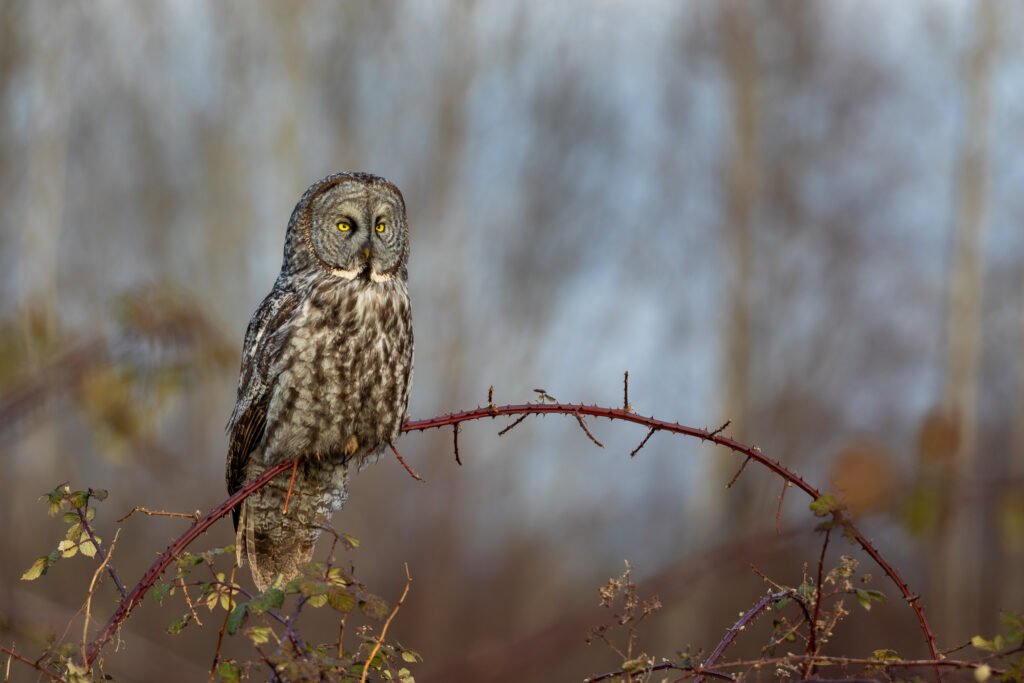
Nomen brings species matching into Lightroom Classic. Start by selecting a photograph in the Library. Click the Library menu, go to Plug-in Extras, and choose Run Nomen on Selected Photos. On the Species tab, select the groups you want to search. For this owl, we use Birds. For a photograph without GPS, choose a country on the Location tab to narrow the search. This photograph was shot in Canada. On Scan options, choose a matching type. Main subject matches the largest or most prominent subject. Choose Full review to inspect the result, then click Run Nomen.
Nomen suggests a species and draws a box around the subject it matched. This owl has a Clear match. Look at the alternatives before deciding what to keep. When you apply a match, the species names are saved as keywords, so you can search by common or scientific name. Nomen can also generate a caption, ready to share. Applying a match saves a caption in Lightroom's Metadata panel and replaces any caption already there. Your photographs and their species details stay together in your Lightroom catalog.
What it does
It knows more than 1.3 million species across 63 groups, on land and in the water: birds, mammals, insects, plants, fungi, fish, corals, nudibranchs and a lot more.
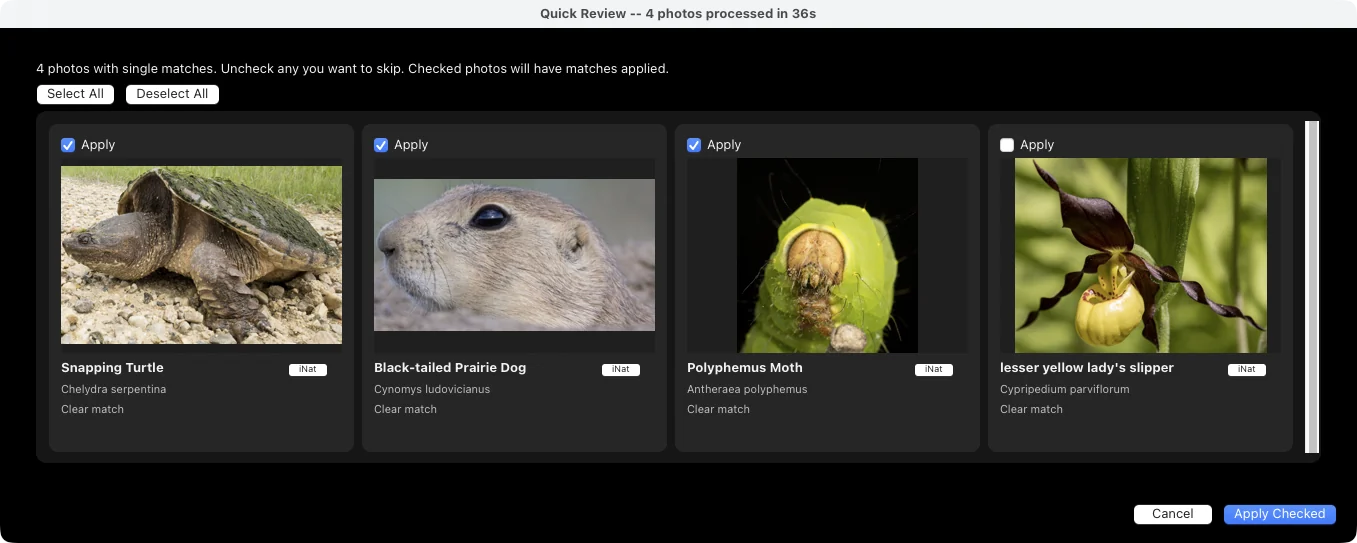
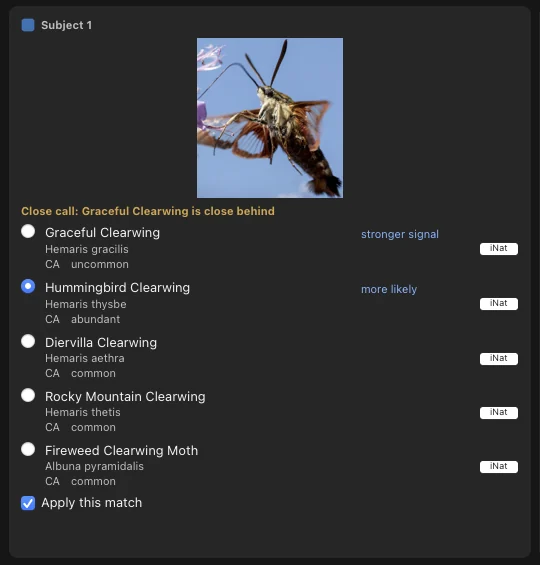
Every match tells you how sure it is, in words instead of a percentage. Clear match means nothing else came close. Close call names the species right behind it. Check this one means have a look yourself. You see the top five suggestions for each photo, and each one links to iNaturalist so you can check it.
If you read the Redstart post, you’ve seen what it can turn up in a folder you thought was finished. It’s just as useful on the folders you never got around to naming at all. I have plenty of both.
It works the way you shoot
- Main subject for one animal in the frame, Every subject when there’s more going on, and survey modes for counting a flock.
- If Nomen picks the wrong subject, you can point it at another box in Full review or draw your own.
- It reads the country from your photos’ GPS, or you pick it, and ranks species by what’s been recorded there. A bird you shot in Costa Rica won’t come back as a look-alike that only lives in Southeast Asia.
- Leave out people keeps divers and bystanders out of the matches.
What ends up in your catalog
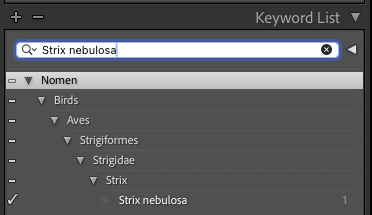
When you apply a match, Nomen writes the species keyword in its taxonomic hierarchy and replaces the photo’s caption with one that includes the species, camera settings and hashtags. You can also add a common-name keyword tree. Every change goes through Lightroom’s own undo.
Your photos stay on your computer
Everything runs on your computer. Nomen never uploads a photo, and matching works without an internet connection, so it still works on a boat or at a field station.
Nomen checks your license when it’s online and keeps working for 60 days after the last check. If the license server is ever retired, a final update removes the check, so the version you paid for keeps working.
Price
Individual is $59 USD for the first 100 buyers, then $79. It covers one person on up to two computers. Team is $199 USD for three named people, each with their own key. If you need more than that, email me and we’ll work something out.
You pay once. There’s no subscription, and every update within version 1 is free. Prices are plus applicable taxes, and there’s a 14-day money-back guarantee, so if it doesn’t work for you, you get a full refund.
If you’re in the UK or the Isle of Man, I’m still finishing UK VAT registration, so checkout can’t take addresses there yet. It’s coming soon.
What you need
- Lightroom Classic 13 or later.
- An Apple Silicon Mac with macOS 14 or later, or Windows 10 (22H2) or 11, 64-bit. Intel Macs aren’t supported.
- About 6 to 7 GB of space for the matching engine and species data, downloaded once.
If you tested the beta
Thank you. A lot of what’s in 1.0 is there because of your reports, your photos and your patience with my early builds.
To update on 0.14.2 or later, open File > Plug-in Manager > Nomen and press Update plugin. On anything older, download Nomen.zip and replace the whole Nomen.lrplugin folder once. Then press Update assets. The species data downloads once more, about 4.5 GB, because it now comes from Nomen’s own servers.
If you have a beta license, it keeps working for good. You don’t need to buy anything.
What’s next
A few things I’m working on: drawing more than one box on a photo, including in Every subject; finding species in video clips; and a standalone app for people who don’t use Lightroom.
If you don’t use Lightroom, leave your email and I’ll send you one email when the standalone app is ready.
If Nomen gets one of your photos wrong, I’d like to hear about it. And if you run it on an old folder, let me know what it turns up.