Nomen 1.2 adds local rarity by province or state and updates scientific names
See how often a species has been recorded in the province or state where you took the photo. Nomen 1.2 also brings more than 5,500 scientific names up to date in Lightroom.
Two birds can look alike and both be found in Canada, but only one might turn up regularly in Ontario. In Canada, the U.S., Mexico and Australia, Nomen 1.2 can now show how often a suggested species has been recorded in the province, state or territory where you took the photo.
How often has it been recorded here?
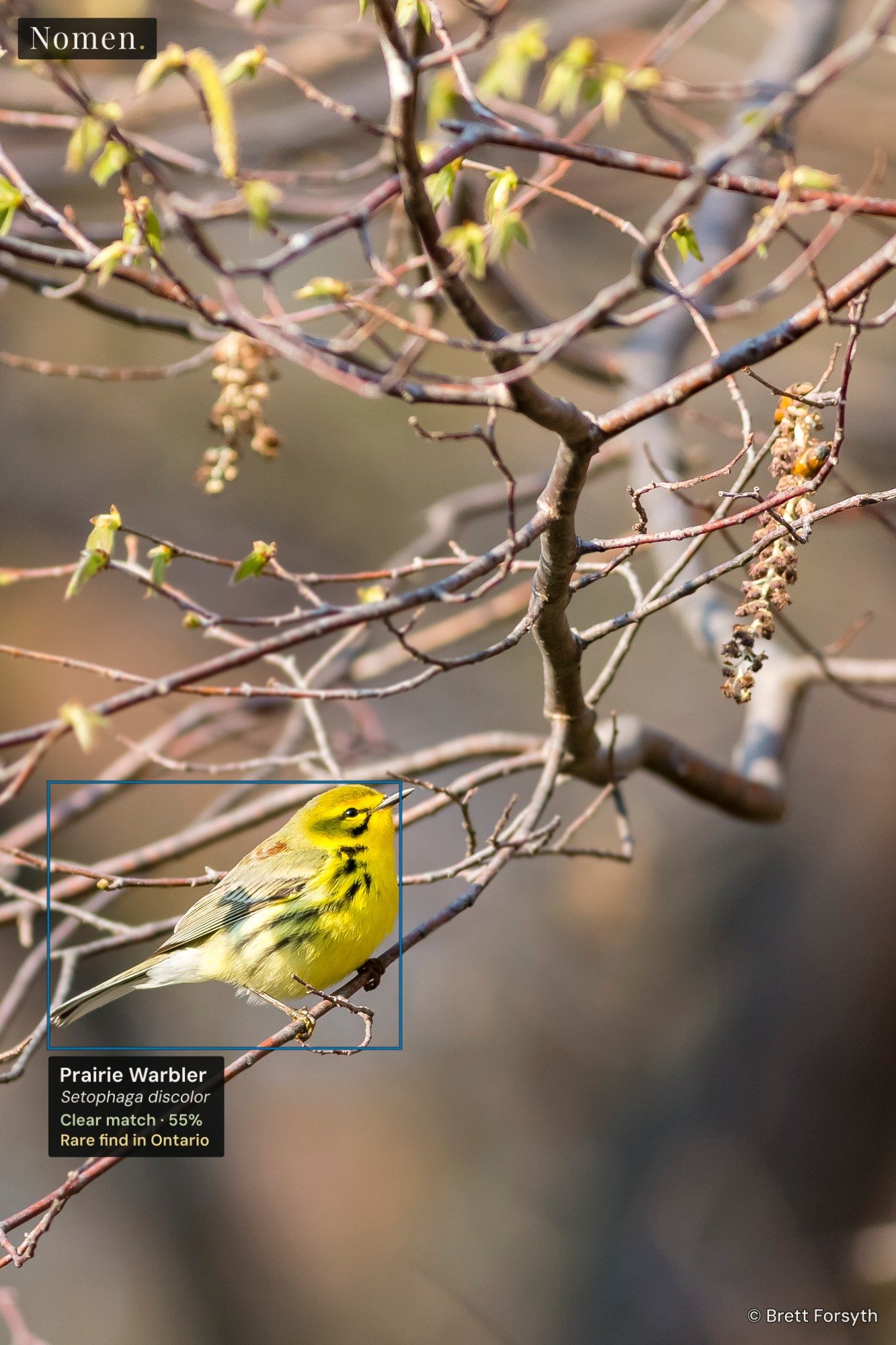
If you took the photo in Canada, the United States, Australia or Mexico, Nomen can now show how often the suggested species has been recorded in that province or state. It checks the photo’s GPS first, then Lightroom’s State/Province field. If both are missing, you can pick the location yourself. In Quick setup, typing “Ontario” will do it.
You’ll see the local rarity in Review where there are enough records. Elsewhere you’ll see the country result. A Rare find note can appear on a Clear match when the species has few or no records there. That’s a cue to take another look. The iNat button beside the suggestion opens a species search on iNaturalist if you want to compare photos.
If you use region keywords, Nomen now files the province or state under its country. For those Point Pelee photos, that’s Nomen › Region › Canada › Ontario. You can also filter on Local Rarity in Lightroom to find those saved matches again.
When a species changes names
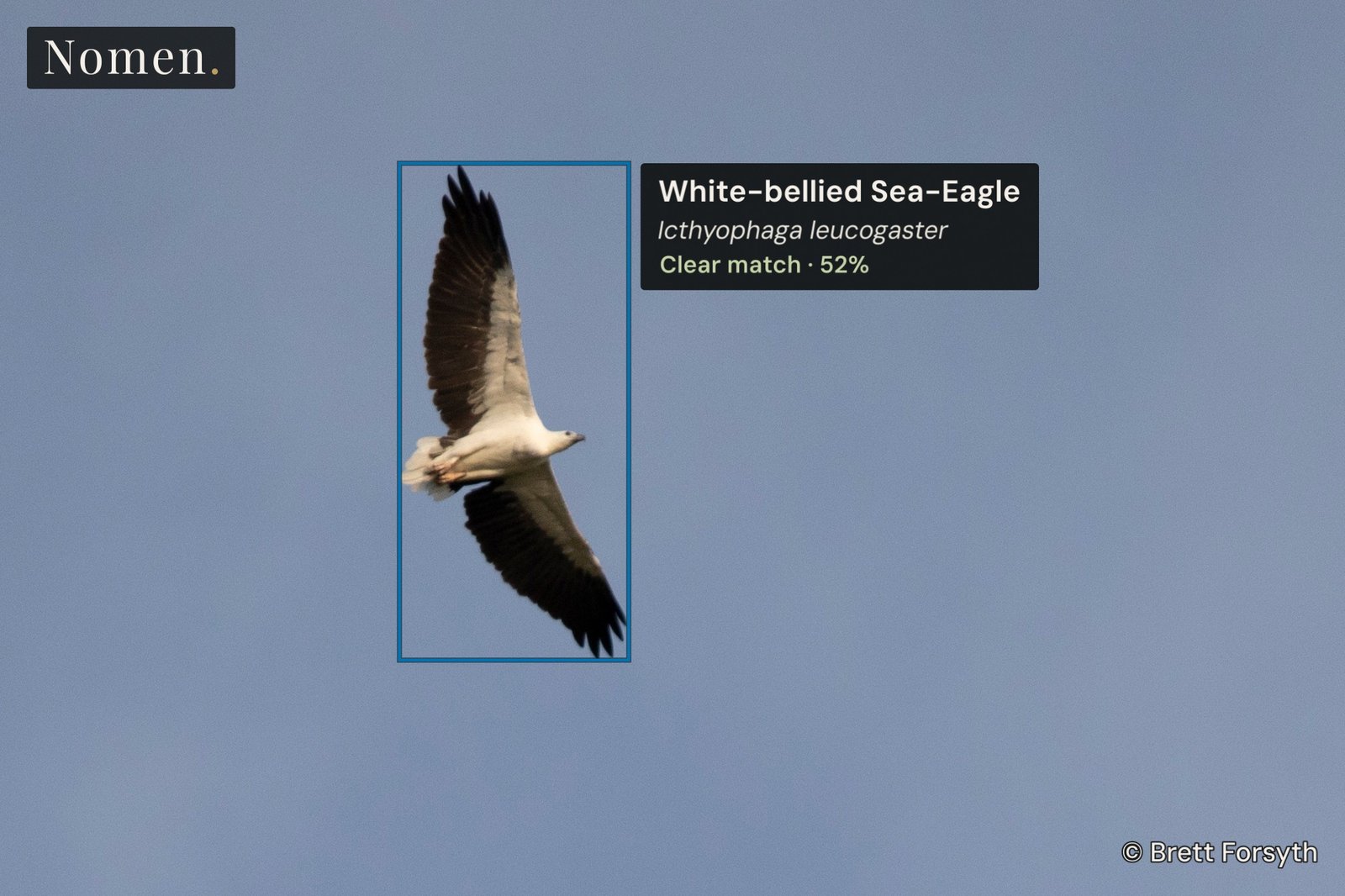
I photographed this White-bellied Sea-Eagle in Misool, Indonesia. In an older field guide you might find it under Haliaeetus leucogaster. Nomen now uses Icthyophaga leucogaster, the same scientific name you’ll find on eBird.
How to update
In Lightroom Classic, open File › Plug-in Manager › Nomen. Click Update plugin first, then Update assets to get the new names and location data. Coming from 1.1.0, the data download is about 125 MB. You can keep all your installed species packs.
If you’re on 0.14.1 or older, quit Lightroom and replace the whole Nomen.lrplugin folder with the copy from the download page. Reopen Lightroom and click Update assets.